
Mobile-First: Recording Thank-You Videos
How our app makes video capture simple for recipients with any smartphone.
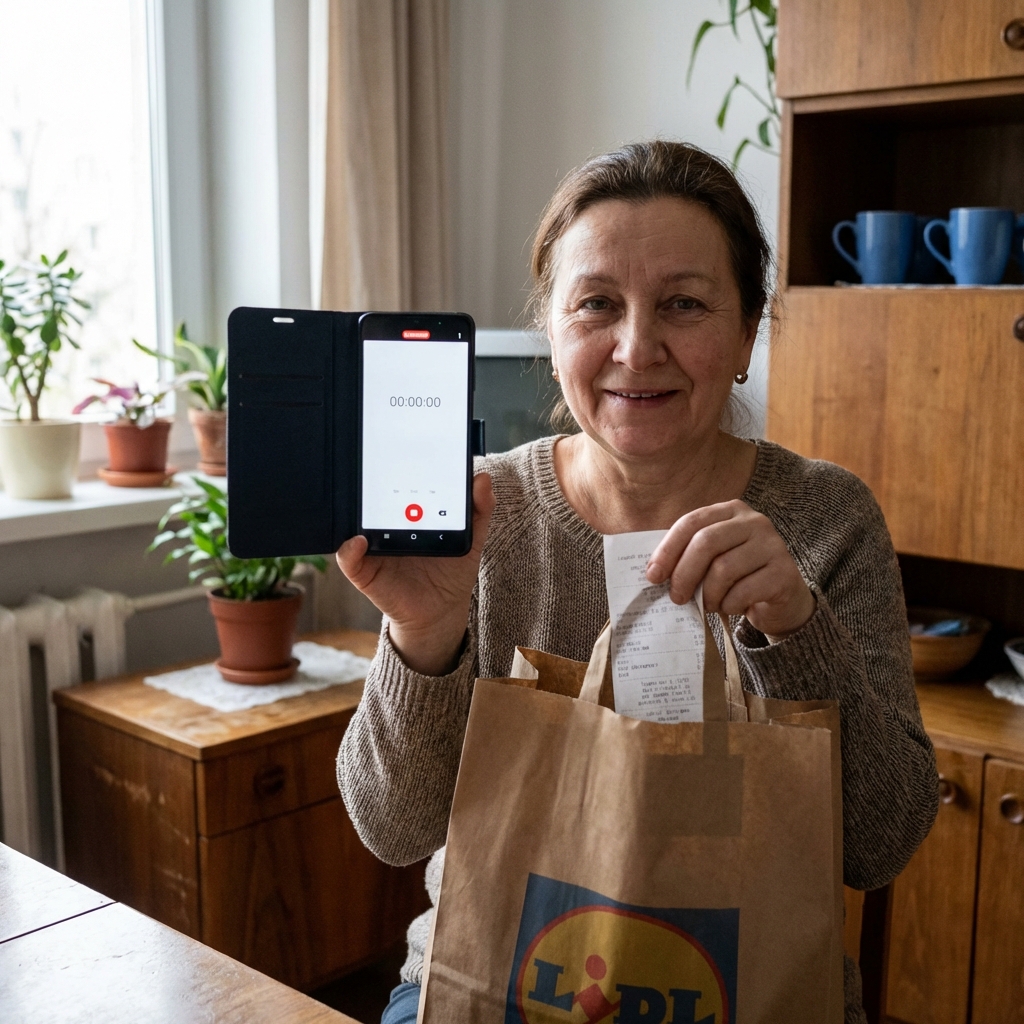
Our app makes thank-you video recording simple: tap to record, review, and upload. Works offline and syncs when you have signal. Designed for recipients with limited connectivity and older devices.
Designed for Real Life, Not Ideal Conditions
Most apps assume users have the latest iPhone, unlimited data, and strong WiFi. Our recipients do not live in that world. They use older phones. They have intermittent connectivity. They share data plans with family members and cannot afford large uploads.
The VideoBackedMoney app is designed for reality. Every feature decision prioritizes accessibility over flash. We asked: what does recording feel like for someone on a cracked-screen Android with 2 bars of 3G signal in a noisy environment? Then we designed for that person.
The Recording Flow
The entire flow from opening the app to successful upload typically takes under 60 seconds. Recipients do not need to navigate complex interfaces or remember which menu contains the record button.
Offline Mode: No Signal, No Problem
Connectivity is not guaranteed. Shelters, rural areas, and budget mobile plans all present connectivity challenges. Our offline mode ensures recipients can always record, regardless of current network status.
Here is how it works: record your video anywhere, anytime. The app stores it locally on your device. When you enter WiFi range or regain cell signal, the video automatically uploads in the background. Your card unlocks as soon as our servers receive the video—no additional action required.
We optimized for low-bandwidth situations. Videos are compressed efficiently without sacrificing clarity. Even on a weak 3G connection, uploads typically complete in under 60 seconds. On WiFi, most uploads finish in under 10 seconds.
Device Compatibility and Performance
The app runs on Android 8.0+ and iOS 13+, covering approximately 95% of active devices. We specifically test on budget devices with limited RAM to ensure smooth performance for recipients who cannot afford flagship phones.
Video recording uses efficient codecs that minimize file size while maintaining watchable quality. A typical 30-second video compresses to approximately 5-10 MB—small enough for upload over mobile data without consuming excessive data allowances.
Accessibility Features
We recognize that recipients have varying levels of tech literacy and physical abilities. The app includes large touch targets, high-contrast colors, and audio feedback for key actions. Screen reader compatibility ensures visually impaired recipients can navigate the recording flow.
Language support covers English and Spanish in v1, with additional languages planned based on recipient population demographics. All interface text uses simple vocabulary to accommodate varying literacy levels.
Privacy During Recording
Recipients choose what appears in their videos. They can record in a safe location away from the purchase site. They control whether their face appears, though we encourage it for donor connection. They decide how much context to provide about purchases.
Videos are never live-streamed. Recipients preview before uploading and can re-record if unhappy. Once approved for upload, videos are stored securely and accessible only to their sponsors and platform administrators.
| Feature | Traditional Charity | VideoBackedMoney |
|---|---|---|
| Recording Complexity | Requires professional equipment | Smartphone with one-tap recording |
| Connectivity Required | Stable WiFi for upload | Offline mode with background sync |
| Device Support | Latest iOS/Android only | Android 8.0+ and iOS 13+ |
| Upload Size | Full resolution (100+ MB) | Optimized compression (5-10 MB) |
| Review Before Send | Often not available | Always preview and re-record |

About This Content
This content was collaboratively created by the VideoBackedMoney Team and AI-powered tools to ensure accuracy, comprehensiveness, and alignment with current best practices in transparent philanthropy, fintech, and direct giving.
Reviewed and validated by VideoBackedMoney's founding team to ensure accuracy and alignment with our mission.
Enhanced with AI-powered research and writing tools to provide comprehensive, up-to-date information.
This collaborative approach ensures our content is both authoritative and accessible, combining human expertise with AI efficiency.
Ready to Make a Direct Impact?
Join VideoBackedMoney and see exactly where your donations go.
Start Giving Today